

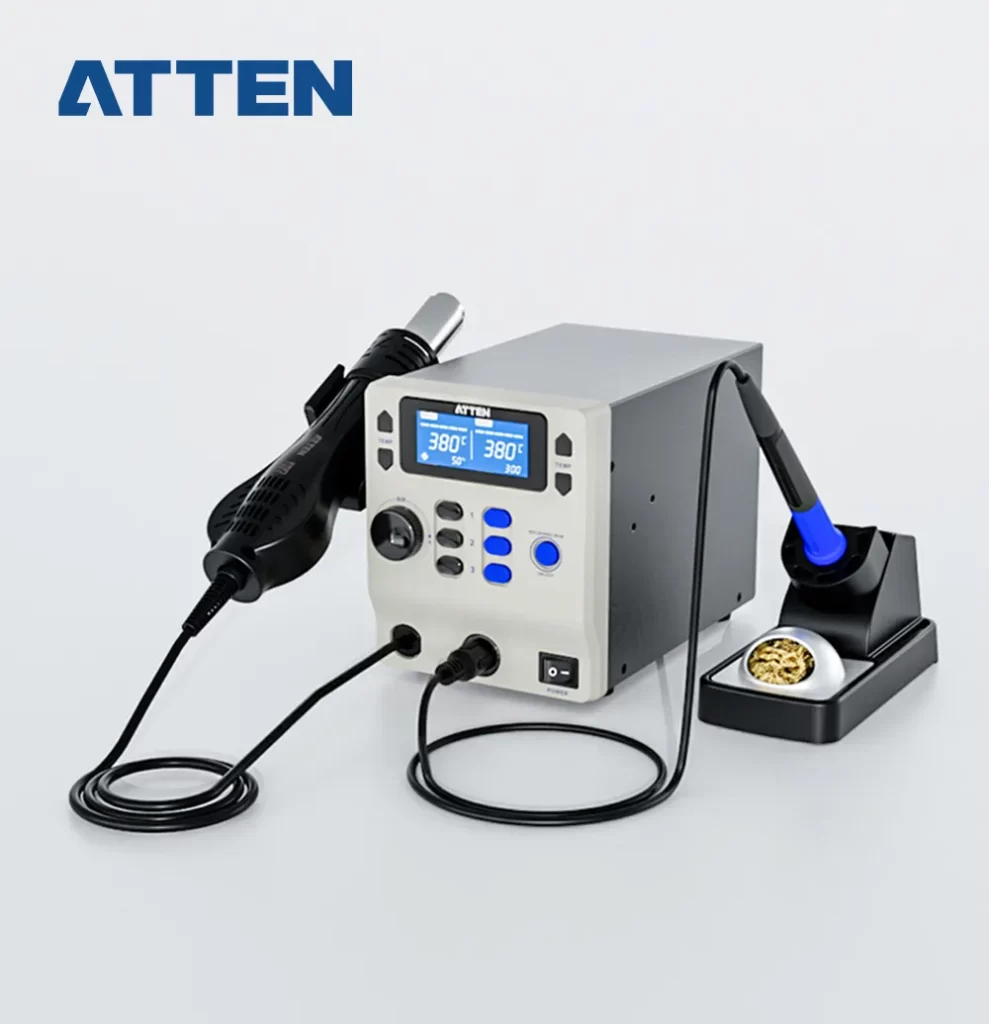


- Hot air station and soldering station 2 in 1 design, saving working space.
- Hot air station: 800W, rapid heating and high efficiency.
- Soldering station: 65W, rapid heating and temperature recovery.
- LCD display, support display accurate temperature & airflow.
- Built-in brushless fan, long service life and low noise.
- 3 set shortcut air volume/temperature to simplify operations.
- Support temp lock, temp calibration function.
- Support ℃ and ℉ switchable.
- Auto standby and sleep function, conserves energy and protect equipment.
- Password-protected function to preserve settings.
- With 10~900s timing function.
- Cold air function to cool components.
Features:
Easy Temperature/Air Flow Setting
- Adjust the air flow value by AIR knob, “+” / “-” to increase/reduce the air volume.
- Adjust the temperature value by pressing “▲” or “▼”, long press can be quickly adjusted.
- Saving and Call 3 Sets Shortcut Temperature by pressing button “1”/ “2”/ “3”.

Temperature Lock Function
- Under Menu Loc, it can turn on or off temperature lock function by pressing “▲” or “▼” key; then press Button “2” to exit and save your setting.
 |
 |
Temperature Calibration
- Under menu CAL mode, press “▲”or“▼” key to enable temperature calibration function, which calibration range is -50℃~ 50℃(-90℉~90℉). Calibration value will be negative as actual-measured temperature is lower than setting temperature; Calibration value will be positive as actual-measured temperature is higher than setting temperature.
 |
 |
℃/℉ available
- In menu C-F mode, it can switch temperature unit ℃/℉ by pressing “▲” or “▼” key.
 |
 |
Password Setting Function
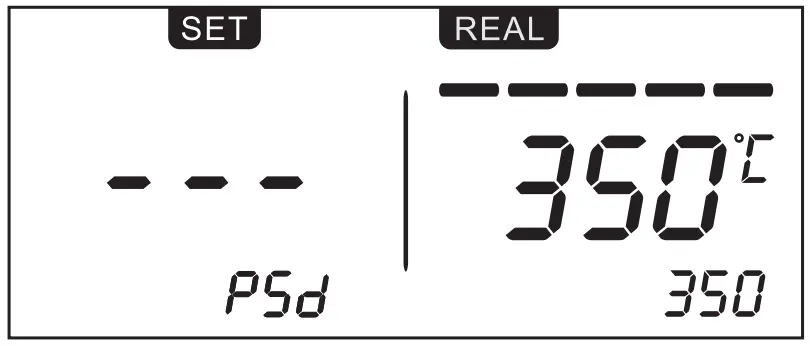
- In PSD menu, press “▲” or “▼” to adjust password setting value, which can be set from 01 to 999. “00” means password function is off. Default no password for the first time entrance. (Note: Directly input 906 password to enter menu in case of forgot the password.)
 |
 |
Beeping function
- Under menu BL mode, it can turn on/ off the beeping function by pressing “▲” or “▼”key.
 |
 |
Auto-sleep/Standby Function of Soldering Iron
- In SLP menu, press the right side “▲” or “▼”key to turn ON/OFF auto sleep function. Soldering iron auto-sleep time setting range is 0-60mins (default 10mins). In sleep mode, heater temperature is 200℃. Picking up the soldering iron and it will back to normal working mode. The hot air gun will enter into sleep mode automatically when putting it on the holder.

Auto shut down function/Heating closed mode
- LCD display OFF, soldering iron/hot air gun will not heating, need to press power button to turn on.

Cool Air Function of Hot Air Gun
- When setting temperature under 100℃, or press shortcut key “1”, the hot air gun will enter into cool air mode. LCD display C-L and heating element turn off heating and hot air gun blows cool air.

Timing function of Hot Air Gun
- Under menu HT mode, it can adjust time of timing function by pressing “▲” or “▼” key. Time range from 10 to 900 seconds.
 |
 |
Fault alarm function
|
S-E |
Sensor fault. |
|
H-E |
Heating element fault. |
