

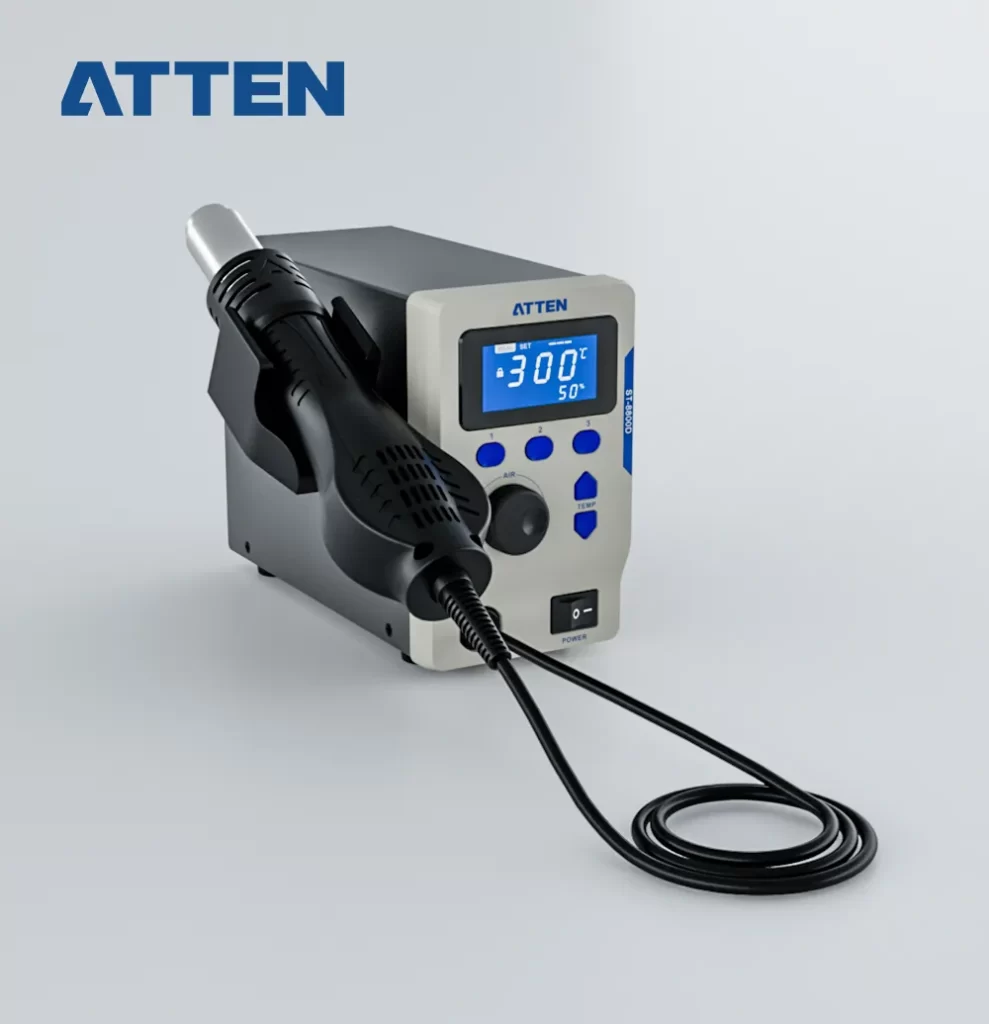


- 800W hot air rework station with LCD display.
- 3 set shortcut air volume/temperature to simplify operations.
- Support temp lock, temp calibration.
- Support ℃ and ℉ switchable.
- Auto standby and sleep function, conserves energy and protect equipment.
- Password-protected function to preserve settings.
- With 10~900s timing function.
- Cold air function to cool components.
- Cooling automatic function(standby), effectively protects the life span of heating core and handle.
Features:
Easy Temperature/Air Flow Setting
1. Adjust the air flow value by AIR knob, “+” / “-” to increase/reduce the air volume.
2. Adjust the temperature value by pressing “▲” or “▼”, long press can be quickly adjusted.
Saving and Call Shortcut Temperature
- Press button “1”/ “2”/ “3” to call or save preset temperature and air flow value.
Timing function
- Under the HT menu, press “▲” and “▼” keys to adjust the timing function working time. The setting time is 10 – 900 seconds.
Standby Function
- The hot air gun stand-by function can adjust in menu, “—” means standby. The hot air gun blows at the maximum air volume when the handle is placed on the holder, then enter stand-by status when the temperature drops under 100 ° C or stop heating after 15 seconds. The machine will return to work when picking up the handle.
Auto-sleep function
- The hot air station will automatic enter the sleep status and display OFF after 30 minutes of no activity, and it won’t re-work when the handle dropped or picked up until press any button to awaken.
Temperature Lock Function
- Under Loc Menu, it can turn on/off temperature lock function by pressing “▲” or “▼” key.
℃/℉ available
- In menu C-F mode, it can switch temperature unit ℃/℉ by pressing “▲” or “▼” key.
Temperature Calibration
- Under menu CAL mode, press “▲”or“▼” key to adjust the value. Calibration range is -50℃~ 50℃(-90℉~90℉). Calibration value will be negative as actual-measured temperature is lower than setting temperature; Calibration value will be positive as actual-measured temperature is higher than setting temperature.
Beeping function
- Under menu BL mode, it can turn on/ off the beeping function by pressing “▲” or “▼”key.
Password Setting Function
- In PSD menu, press “▲” or “▼” to adjust password setting value, which can be set from 01 to 999. “00” means password function is off. Default no password for the first time entrance. (Note: Directly input 906 password to enter menu in case of forgot the password.)
Fault alarm function
| S-E | Sensor fault. |
| H-E | Heating element fault. |
