



- 4 in 1 intelligent rework station with LCD display.
- High accuracy MCU control is employed to synchronously detect 3 tool channels that can be used independently and synchronously without mutual interference.
- Built-in vacuum generator.
- Max power is 900W.
- Support doing multiple desoldering tasks simultaneously.
- Automatically identify all kinds of soldering tools and load corresponding parameters.
- Adjust the temperature by software automatically, more accurate and convenient.
- Fault display and alarm function.
- Equipped with a vacuum suction pen, components can be extract ed after desoldering.
- Auto standby and sleep function, conserves energy and protect equipment.
- Password-protected function to preserve settings.
- Built-in RS-232 communication interface, support computer control.
Features:
Hot air gun, soldering iron, desoldering gun, electric tweezers and suction pen in one station.
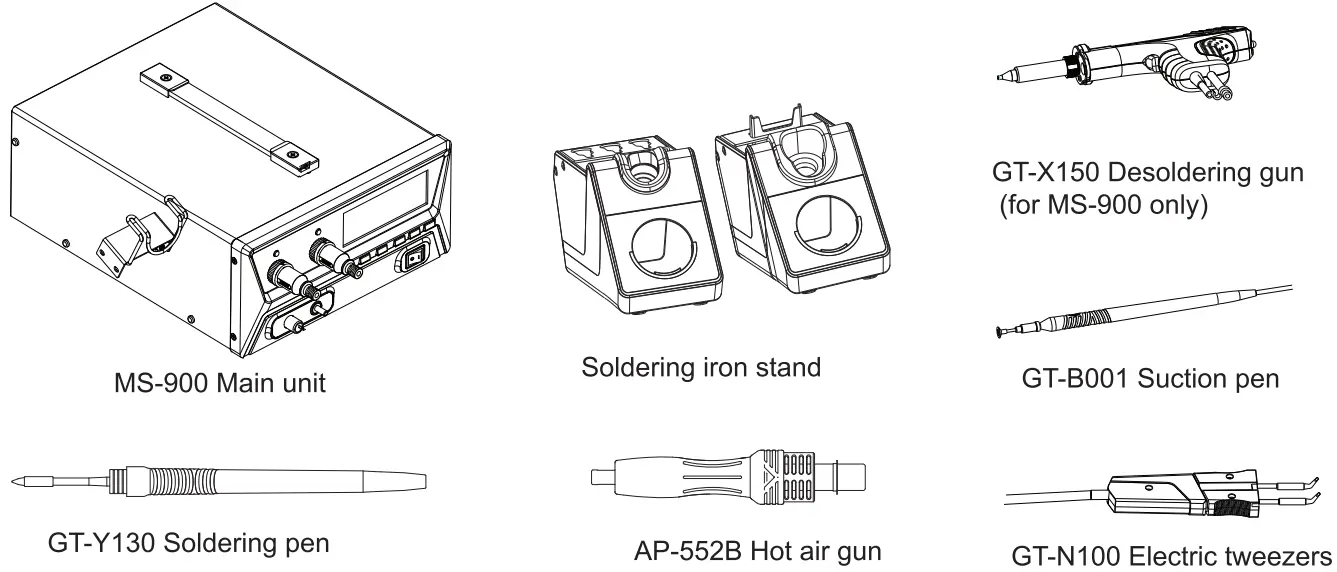
Support 3 channels working. Tools will be identified automatically and loading of corresponding parameters.
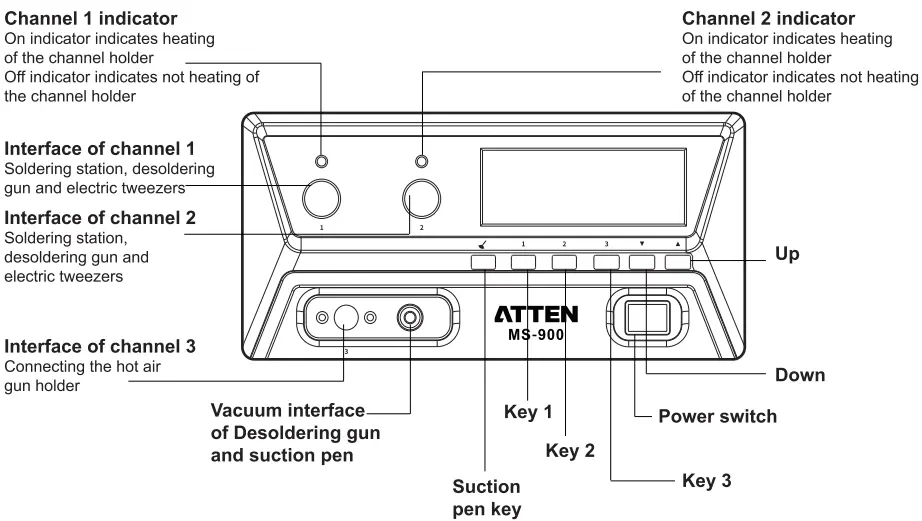
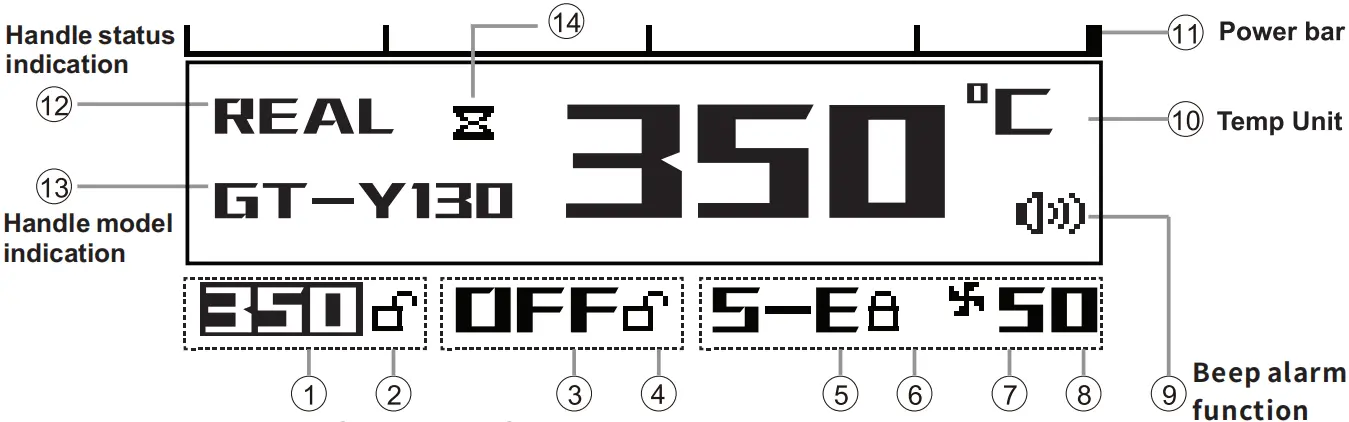
- Short press key 1/2/3 to select channel 1/2/3; long press to turn it on/off.
- Adjust the temperature value by pressing “▲” or “▼”, long press can be quickly adjusted.
Beep Alarm Function
- When the station is power off, long press “▲” and “▼” key and turn on the power switch to turn on/off tone.
℃/℉ available
-
When the station is power off, long press and turn on the power switch to change ℃/℉.
Temperature calibration
-
Short press key 1/2/3 to select channel 1/2/3, press and key 1/2/3 for more than 3 seconds to enter into temperature calibration mode. Press “▲”or“▼” key to input temperature calibration value ±50℃/90℉.
Auto-sleep function, sleep time setting
- After temperature calibration setting, it will directly enter into sleep time setting. Press “▲”or“▼” key to input sleep time 1-120mins. (default 0min, no sleep.)
PC Software Control System
- The PC software can be used under the following operating system: win XP, win 7, win 10.

Software interface included 4 functions modules
1.Communication module
This module displays the communication port, automatic connection of the automatic query port, communication key, expanding and hiding the real-time curve module.
2. Channel parameter setting and status display module.
This module displays the real-time parameter information and parameter setting of each channel.
3. Serial port command input / info tip module.
This module can manually input the serial port command (see the last page of the instruction manual for serial port command) and prompt for relevant information, including error, important operation, etc.
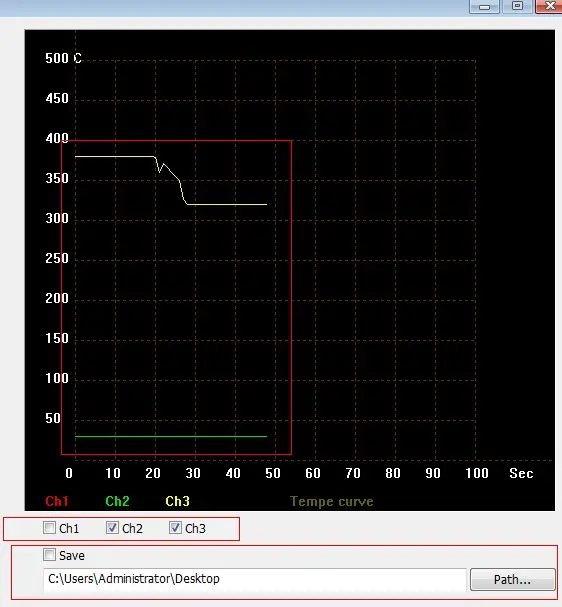
4. Real-time temperature curve display module.
This module can choose any real-time temperature curve of each channel.
Setting parameters of each channel by PC
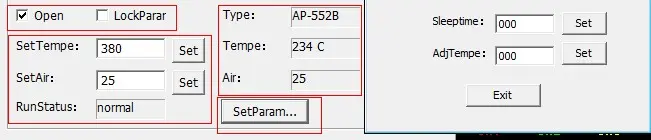
- Choose “Open” option to open the channel. Choose “LockParar” the channel temperature will be locked.
- “SetTempe”, the temperature value of the channel handle can be set from 150℃-480℃.
- “SetAir”, can set the air volume of the air gun (if it is the soldering iron channel, there is no air volume setting option here).
- “RunStatus”, is the real-time status of the device working (Normal will be displayed when working normally; “S-e” will be shown when no soldering iron is connected; “SLP” is displayed when dormant and “OFF” is displayed when the channel is closed.
- “Type” means type of handle to which the channel is connected.
- “Tempe” means the actual temperature value of the handle.
- “Air” means the air volume value. (If it is soldering iron channel, there is no air volume setting option here).
- Click “SetPararm…” will Pop-up sleep time setting and temperature compensation setting, these parameter are 3 digits number. When setting sleep time or temperature to “10”, please enter “010”.
Real-time curve display
- Click “Path” to set the real-time temperature curve saving address. Choose “Save”, the real-time temperature curve will be saved to the setting address in the form of excel document.
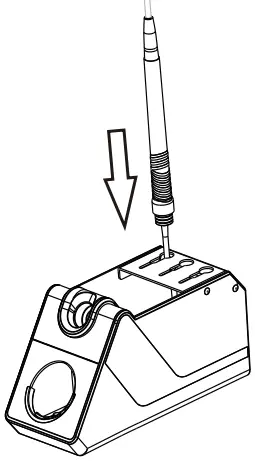
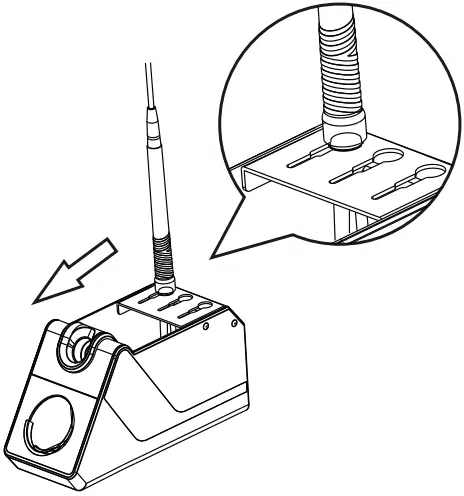
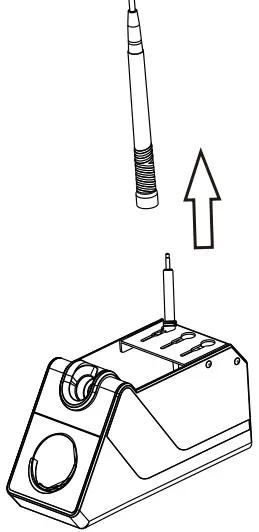
Easy to change replacements
 |
 |
 |
 |
 |
 |
 |
 |
 |
 |
